Marker Font for Web Design and Branding
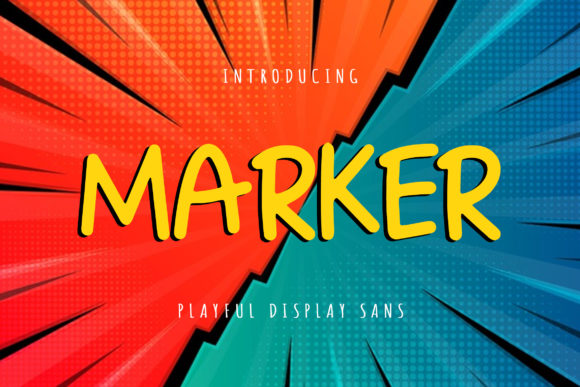
The Marker font brings a playful yet elegant touch to any digital design project. As a display font, it’s crafted to stand out while maintaining readability and charm. Whether you're designing a landing page, a hero section, or a brand identity system, Marker can elevate your visual storytelling with its unique personality.
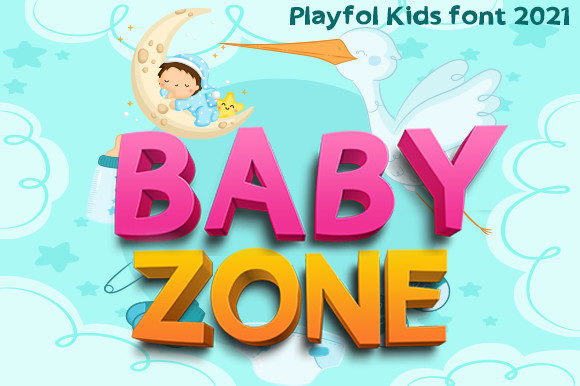
With its clean lines and soft curves, Marker feels approachable and modern. It’s ideal for creative projects that require a sense of fun without sacrificing professionalism. This font is particularly well-suited for websites targeting children, educational platforms, or brands that want to convey a friendly and engaging tone.
Using Marker in Web Design Elements
Marker shines when used as a primary typeface for headings, titles, and call-to-action buttons. Its bold presence makes it perfect for drawing attention in hero sections or feature banners. When paired with a simple sans serif font like Helvetica or Arial, it creates a balanced contrast that enhances legibility and visual interest.
In a creative portfolio, Marker could be used for section headers or project titles, giving the site a cohesive and expressive feel. For an online store focused on children's products, Marker adds a whimsical element to product names and promotional headlines.
On a coaching website, Marker can be used sparingly—perhaps in the header or for key phrases—to maintain a professional tone while adding a personal touch. It’s also great for digital ads or social media graphics where quick readability and visual impact are essential.
Readability and Visual Hierarchy
While Marker is a display font, it performs well in larger sizes and short text blocks. It’s important to avoid using it for long paragraphs due to its decorative nature. However, when applied to headlines or subheadings, it helps establish a strong visual hierarchy by guiding the user’s eye through the content.
For mobile screens, ensure that Marker is used at a size that remains legible on smaller devices. Pairing it with a more neutral body font ensures that users can easily scan through content without being distracted by overly stylized text.
When using Marker on dark backgrounds, test it with different colors to ensure sufficient contrast. A light gray or white color often works best for maintaining readability and preserving the font’s visual appeal.
Font Pairing and Brand Identity
One of the strengths of Marker is its versatility in font pairing. Combining it with a clean sans serif font for body copy creates a modern and professional look. For editorial-style sites, pairing it with a serif font can add depth and sophistication to the overall design.
Consider using Marker for logo text if the brand wants to communicate a sense of creativity and approachability. It can also serve as a decorative accent in UI elements such as buttons, icons, or navigation menus.
For brand kits, including Marker in your typography stack ensures consistency across all digital assets—from website headers to email newsletters and social media posts.
Practical Considerations for Web Use
Before implementing Marker into a live website, check the available file formats and webfont compatibility. Ensure that the font supports the necessary weights and alternates to provide flexibility in design. Also, confirm that it includes multilingual support if your audience spans multiple regions.
If you plan to use Marker for commercial projects, always verify the licensing terms. Many display fonts require a commercial license for use on websites, online stores, or client deliverables. This is especially important for SaaS founders, bloggers, and digital product creators who rely on premium fonts for branding and marketing efforts.
For landing pages focused on conversion, using Marker in CTA areas can help create a sense of urgency and excitement. Its playful yet polished style encourages engagement without compromising the professionalism of the brand.
Whether you're building a course sales page, a blog header, or a portfolio site, Marker offers a fresh perspective on how typography can shape the user experience. Its adaptability and aesthetic appeal make it a valuable asset in any designer’s toolkit.